Direct link
Send the customer to the store’s dedicated booking site from a “Book Now” button, navigation link, email, or social post.

Dive shop booking software
An exceptionally flexible online calendar connects charter, class, and activity discovery with individual or group booking, rental options, seat assignments, guest checkout, and the staff workflows that take over on dive day.
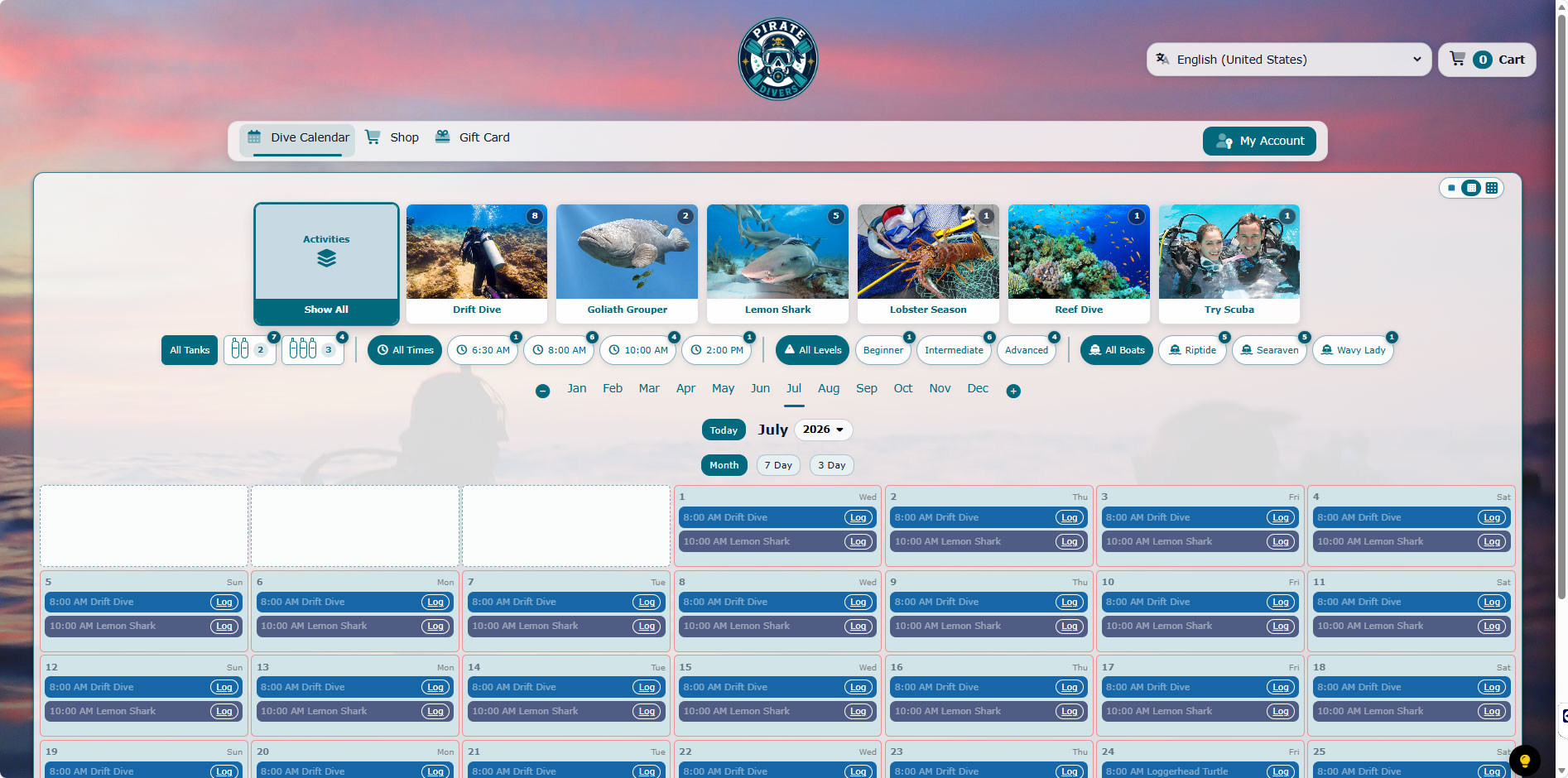
Discovery without calendar clutter
A dive calendar can contain two-tank charters, three-tank trips, reef dives, wreck dives, classes, discovery programs, seasonal activities, multiple boats, and several departure times. A flat list forces customers to understand the operation before they can make a choice.
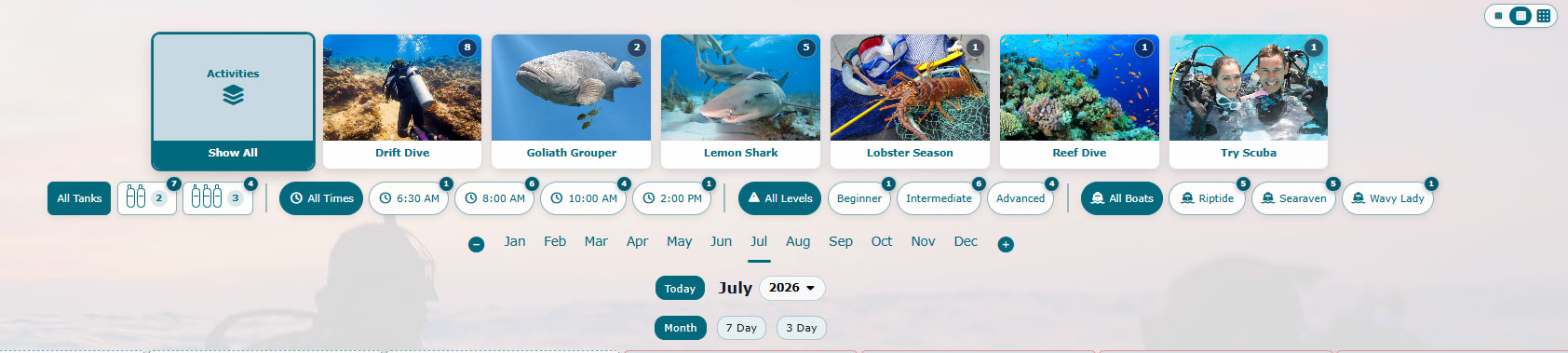
Diverse Retail can expose the schedule fields that matter to a particular store. Shoppers can begin with a visual activity card or a date, then narrow the results without losing the broader calendar.
Counts displayed on activity and filter choices can be selected to open matching days or a broader availability view. This gives the customer a fast answer while preserving access to the full schedule.
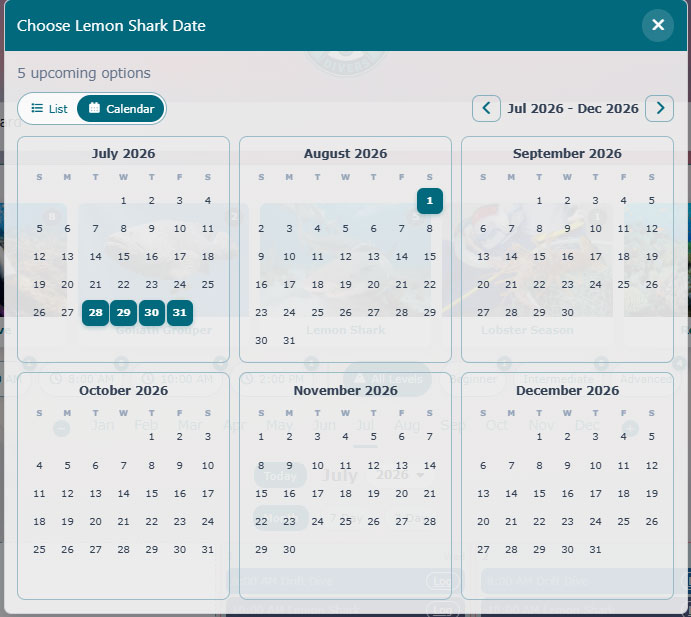
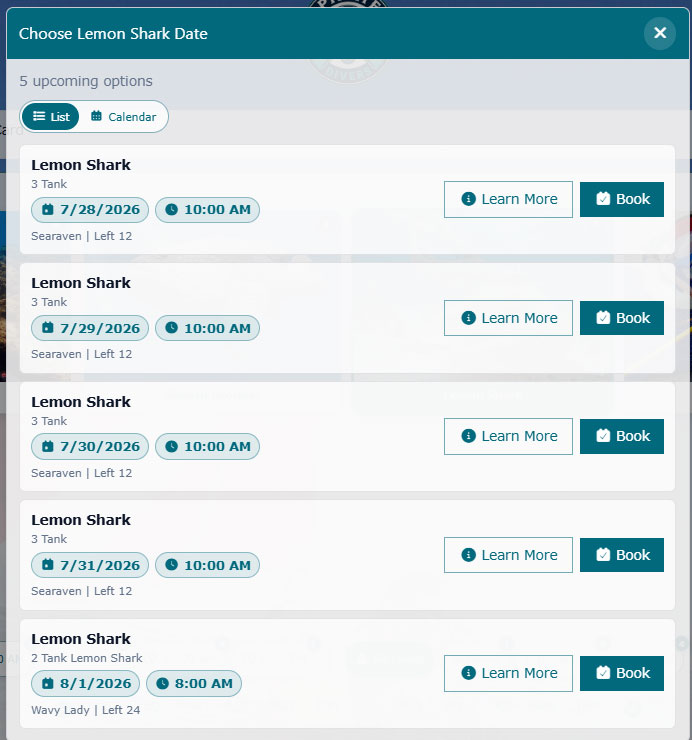
A useful answer to “When can I go?”
Once a shopper chooses an activity, the calendar can show upcoming dates as a compact list or as a multi-month availability view. The customer can compare several weeks without repeatedly opening and closing individual days.
Booking details that remain useful
A reservation is operational data. The booking form can gather participant information while applying the choices and requirements attached to that particular activity.
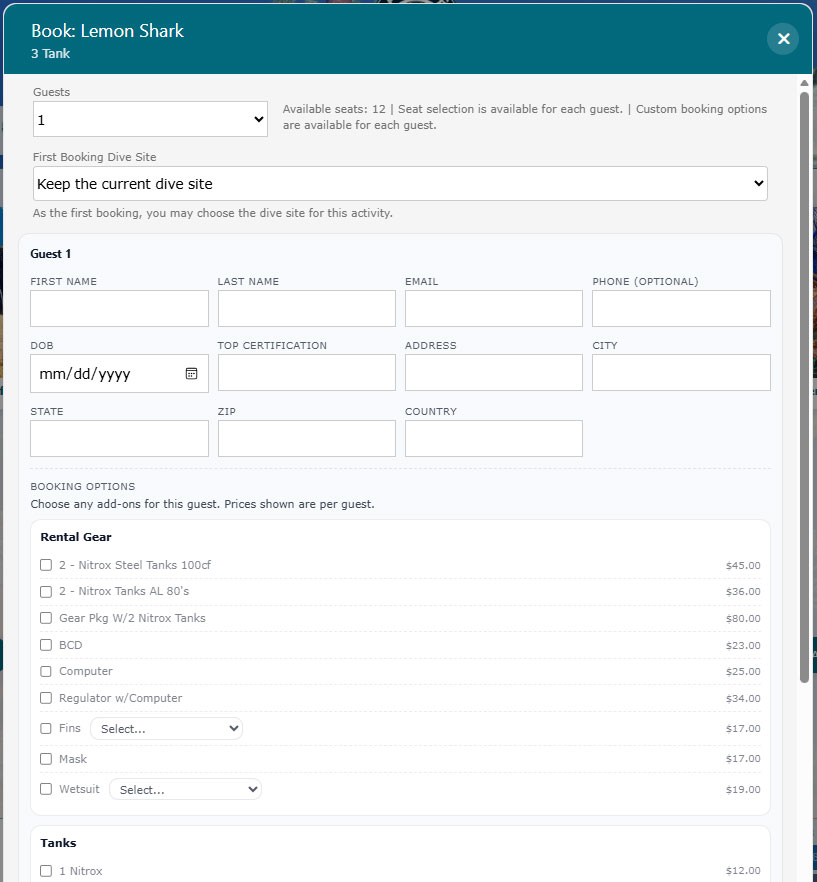
Customers can book an individual or keep a group together under a group leader. A leader may be diving or non-diving, and the reservation can retain the relationship between that leader and each guest.
The goal is not to make the shopper complete an administrative form. It is to capture the decisions that would otherwise become phone calls, counter questions, and manual notes later.
Link it or keep the customer visually on your site
Every store receives its own Diverse Retail booking and shopping destination. A website can link directly to that destination, or it can open over an existing website with the Diverse Retail Booking Overlay.
Send the customer to the store’s dedicated booking site from a “Book Now” button, navigation link, email, or social post.
Open booking over the store’s existing domain so customers can still see the website behind a softly muted, responsive overlay.
Control the maximum overlay width so the booking experience fits the site design while leaving more or less of the original page visible.
The overlay does not require the booking system and the marketing website to share a domain. Customer login continues through the store’s secure Diverse Retail destination.
The staff side of online booking
The real value appears when a booking stays connected to daily work. Staff can review the reservation through calendar, roster, and manifest views that show the operational details behind each departure.
Review participants, groups, boats, personnel, rental needs, tank selections, waivers, seats, and balances before arrival.
Use focused daily views instead of re-entering online booking details at the counter.
Keep customer, activity, purchase, and tour context available for follow-up, service, reporting, and the next booking.
Common buyer questions
Yes. Link directly to the store’s booking destination or open it over the existing website with the Diverse Retail Booking Overlay.
Yes. Group booking keeps the leader and guests connected and supports diving or non-diving leaders, participant details, options, rentals, tanks, seats, waivers, and balances.
Yes. Guest checkout can remain available while returning customers may sign in for purchase, booking, and tour history.
They can browse activities and dates, then filter by tank count, boat, calendar category, departure time, and difficulty when those fields are enabled by the store.
Yes. The booking context remains available in staff calendar, roster, manifest, customer, rental, waiver, balance, and reporting workflows.
See the complete booking path