
Operations and insight
See what needs attention today and what the business is telling you.
Bring daily work, open commitments, performance, reports, Business Intelligence, security, and accountability into the same system that records the activity.
Run the dayOpen work, bookings, liabilities, memberships, inventory, and activity.
Understand performanceSales, profit, movement, departments, suppliers, customers, and goals.
Stay accountableRoles, permissions, transaction journals, security logs, and audit trails.
Daily operations
Start with the work that is open, due, or changing.
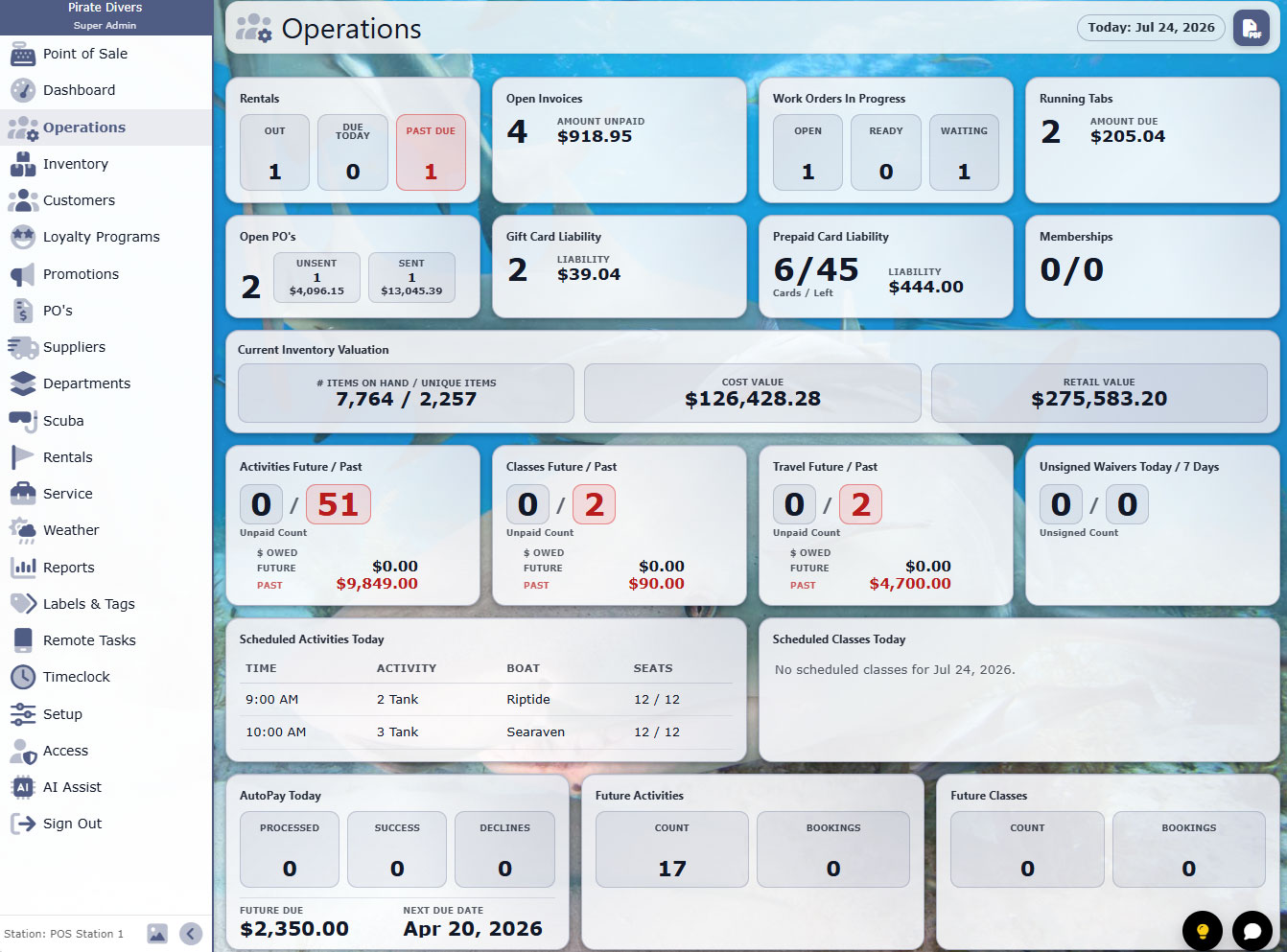
The operations view gathers the current commitments of the business so a manager can act without assembling the day from separate tools.
- Rentals, invoices, work orders, and running tabs
- Liabilities, memberships, and inventory value
- Activities, classes, waivers, and upcoming bookings
- Business-specific operational status in one view
Dashboard and KPIs
Move from totals to the reasons behind them.
Track the measures that matter, compare performance, and move into the product, department, supplier, customer, or transaction detail behind a result.
- Sales, profit, margin, and transaction measures
- Product movement and inventory value
- Department, supplier, and customer-group performance
- Goals, trends, and Business Intelligence

Reporting
Answer routine questions and investigate the unusual ones.
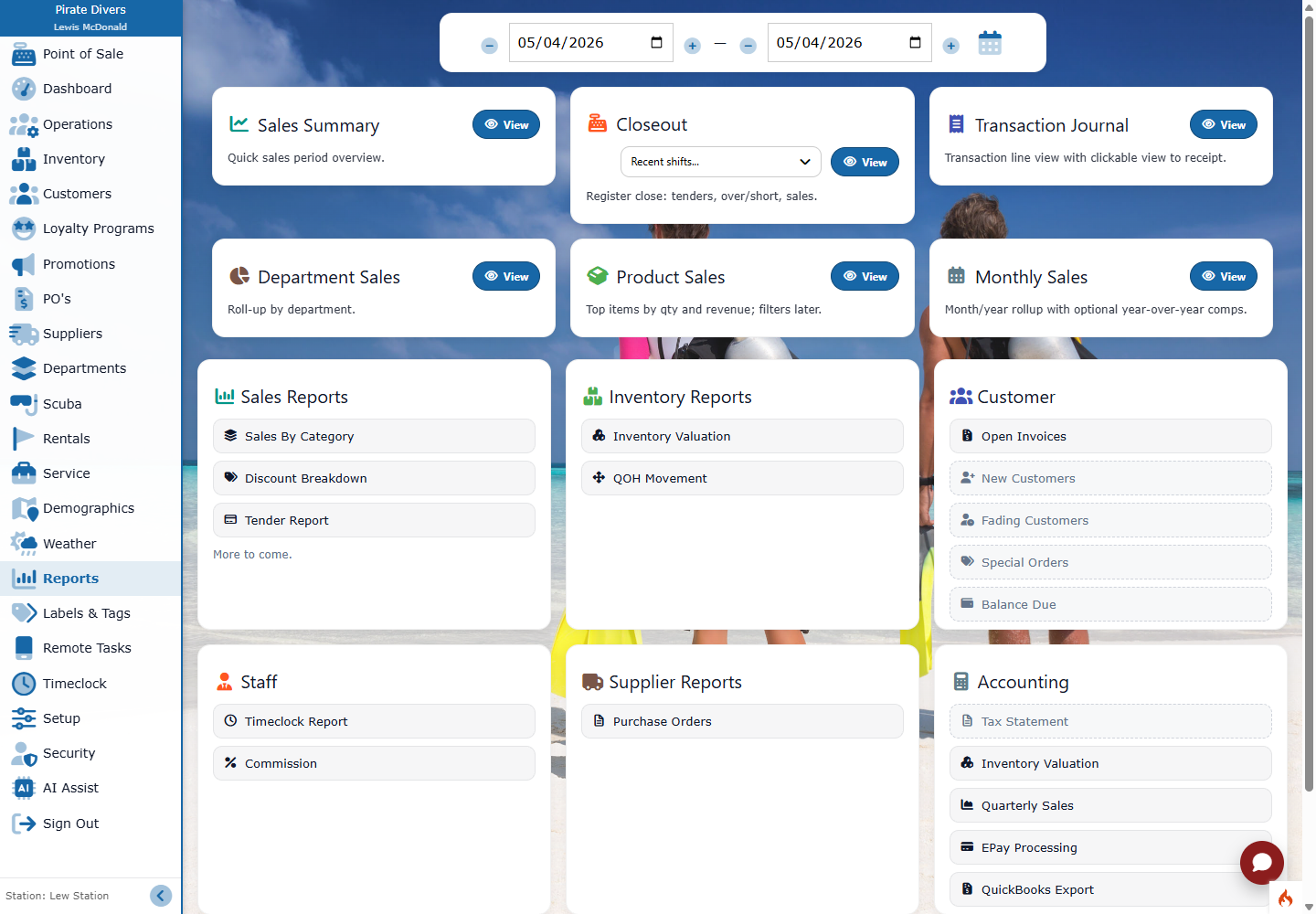
Use standard reports for recurring management work, transaction journals for traceability, and Business Intelligence for deeper comparison and exploration.
- Sales, tax, tender, inventory, customer, and supplier reporting
- Transaction journals and historical detail
- Exportable operational information
- Business Intelligence for flexible analysis
Control with context
Make the system efficient for staff and accountable for management.
Individual access and personalization let people work quickly without giving up the evidence needed to protect the business.
Multi-store operations
Choose what changes, where it goes, and when it takes effect.
Combine automatic shared list maintenance with staged Store Relay packages and reviewed instant product or price updates. Each workflow keeps the receiving locations and results visible.
From activity to action